Selecting the right eCommerce Technology Partner is one of the most consequential decisions a digital commerce leader can make. The partner you choose will influence how quickly you launch, how reliably you scale, how securely you operate, and how effectively you evolve your platform as customer expectations change.
In a cloud-powered commerce environment, the stakes are higher than ever. Cloud infrastructure is important, but infrastructure alone does not create business value. The real advantage comes from pairing cloud with the right engineering, integration, and operating model—delivered by a partner who understands both technology and commerce outcomes.
Cloud as the Foundation for Scalable eCommerce
Modern eCommerce success depends on more than a visually appealing storefront. Customers expect fast page loads, personalized experiences, seamless checkout, real-time inventory, and uninterrupted availability across devices and geographies. Meeting those expectations at scale requires a foundation built for elasticity, resilience, and continuous change.
Cloud provides that foundation. It enables teams to provision resources on demand, handle traffic spikes without overbuilding infrastructure, improve disaster recovery, and release features faster through automated delivery pipelines. For eCommerce organizations, that means less time spent managing infrastructure and more time improving customer experience and conversion.
1. Why cloud matters for commerce growth
Cloud is not just a hosting decision. It is an architectural and operational choice that affects speed, reliability, and innovation capacity. When implemented well, cloud allows teams to:
- Scale elastically during seasonal peaks, campaigns, and flash sales
- Improve application availability and fault tolerance
- Reduce time to market for new features and channels
- Modernize legacy platforms without disruptive rip-and-replace programs
- Support experimentation with AI, analytics, and personalization
However, cloud alone does not guarantee these outcomes. The organization still needs architecture, integration patterns, DevOps practices, security controls, and platform governance. That is where the right technology partner becomes critical.
……………………………………………………………………………………………………..
Why the Choice of eCommerce Technology Partner Matters
An eCommerce platform is a complex ecosystem. It typically includes the storefront, commerce engine, payment services, identity and access management, content systems, search, fulfilment, ERP, CRM, PIM, analytics, and more. Each component must work together in near real time, often across multiple clouds and third-party services.
A strong eCommerce Technology Partner helps align this ecosystem with business priorities. A weak one may focus narrowly on infrastructure setup or one-time implementation, leaving gaps in integration, automation, performance, and long-term support. The result is often technical debt, slow releases, and brittle customer experiences.
1. Beyond cloud infrastructure expertise
Cloud infrastructure knowledge is necessary, but it is not sufficient. Commerce platforms require a blend of software engineering, cloud architecture, integration design, DevOps maturity, and operational discipline. The best partners can design and build solutions that are not only technically sound, but also adaptable to changing business models.
Look for a partner that can do more than deploy workloads. They should be able to help with:
- Application architecture and engineering
- Microservices and API design
- Platform automation and infrastructure as code
- Security-by-design and compliance alignment
- Observability, incident response, and operational support
This combination matters because eCommerce is not a static system. It evolves with promotions, product catalog changes, regional expansion, channel shifts, and customer experience initiatives.
2. Understanding the eCommerce technology landscape
Technology decisions in commerce should never be made in isolation. The right partner understands how business requirements map to architectural choices. For example, a high-growth B2C retailer may need composable commerce patterns, event-driven integration, and a resilient front-end delivery model. A B2B seller may prioritize complex pricing, account hierarchies, order workflows, and ERP synchronization.
A knowledgeable partner can translate requirements into practical design choices. That includes deciding when to modernize an existing platform, when to migrate selectively, when to use managed services, and when to build custom capabilities for differentiation. This ability to connect commerce strategy to technology execution is what separates a vendor from a true partner.
……………………………………………………………………………………………………..
To understand how robust eCommerce systems are built, refer to Scalable and Resilient eCommerce Platforms — an article that explains the technical nuances that need to be ascertained to build platforms for the future.
……………………………………………………………………………………………………..
3. Supporting the full application lifecycle
eCommerce platforms rarely stay in one state for long. They move through stages of development, modernization, migration, optimization, and ongoing support. A capable partner should be able to support the full lifecycle rather than only a single project phase.
- Development: Build new digital commerce capabilities, storefronts, and integrations.
- Modernization: Refactor legacy systems, improve architecture, and introduce cloud-native patterns.
- Migration: Move workloads, data, and services to cloud platforms with minimal disruption.
- Optimization: Improve performance, cost efficiency, and operational reliability.
- Ongoing support: Maintain, monitor, enhance, and secure the platform over time.
This lifecycle view is essential for long-term success. It ensures your platform does not become a collection of disconnected projects, but a coherent digital capability aligned to business growth.
……………………………………………………………………………………………………..
What to Look for in a Cloud and eCommerce Technology Partner
Choosing the right partner requires a structured evaluation. Executive teams should assess depth, breadth, delivery maturity, and commercial flexibility. The goal is not simply to find a provider that can execute tasks, but one that can reduce risk and accelerate value creation.
1. Comprehensive cloud expertise across AWS, Azure, and GCP
A credible partner should demonstrate practical experience across major cloud platforms. Even if your organization standardizes on one provider, multi-cloud fluency signals stronger architectural judgment and a broader understanding of tradeoffs.
Ask whether the partner can design secure, resilient architectures on AWS, Azure, and GCP. They should be comfortable with networking, identity, storage, compute, serverless services, and managed databases. They should also be able to explain when one cloud service is a better fit than another based on cost, performance, and operational needs.
2. Cloud-native application development
Cloud-native development is essential for organizations that need agility and resilience. A strong partner should have experience with containerized workloads, microservices, event-driven architecture, and API-first design. They should also understand how to build applications that are testable, and independently deployable.
For eCommerce, this matters because customer-facing systems must respond quickly to traffic surges and feature releases. Cloud-native design reduces coupling, improves fault isolation, and supports faster iteration across teams.
3. Application modernization and migration
Many commerce organizations are still running legacy platforms that limit innovation. The right partner should have a clear modernization and migration methodology. That includes assessment, application rationalization, dependency mapping, migration planning, and post-migration optimization.
Modernization is not just about moving code to the cloud. It is about improving architecture, lowering operational overhead, and enabling future change. A strong partner will help you decide whether to rehost, replatform, refactor, or rebuild based on business value and technical risk.
4. DevOps, CI/CD, and platform engineering
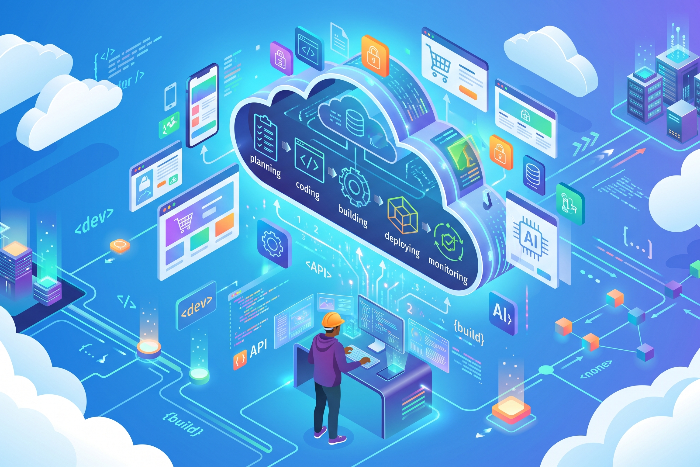
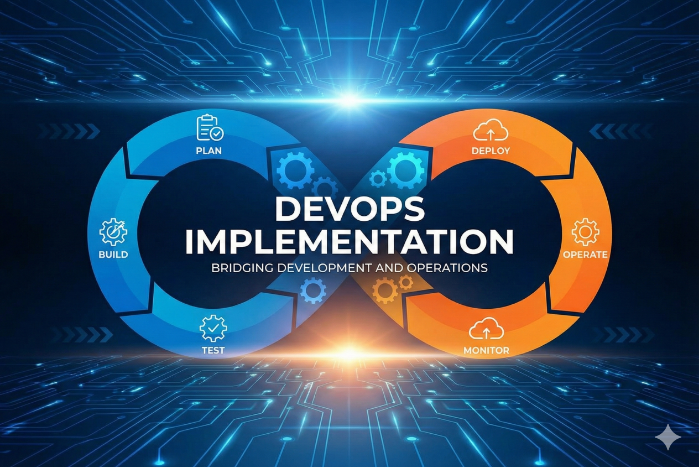
Speed and stability must coexist in eCommerce. DevOps practices, CI/CD pipelines, and platform engineering capabilities are what make that possible. Your partner should be able to automate build, test, security scanning, deployment, and rollback processes across environments.
Platform engineering is especially valuable for large organizations with multiple teams and shared services. A well-designed internal platform improves developer productivity, standardizes controls, and shortens release cycles without sacrificing governance.
5. Integration and API engineering
Commerce platforms depend on integration. Orders must flow to fulfillment, inventory must stay synchronized, customer data must remain consistent, and promotions must propagate across channels. This requires strong API design, middleware strategy, event handling, and integration governance.
Look for a partner who can design resilient integrations between eCommerce, ERP, CRM, PIM, OMS, payment systems, and analytics platforms. Their approach should support loose coupling, clear data contracts, and reliable error handling.
6. Data, analytics, and AI capabilities
Cloud-powered commerce generates large volumes of customer, transactional, and behavioral data. A mature partner should help you turn that data into action. That means designing data pipelines, governance models, analytics environments, and machine learning use cases that support personalization, forecasting, merchandising, and customer service.
AI is becoming central to commerce operations, but it only works well when the data foundation is strong. The right partner will understand data architecture, model deployment, and the operational realities of using AI in production systems.
7. Quality engineering and performance testing
In eCommerce, performance problems directly affect revenue. Page latency, checkout failures, and integration bottlenecks can quickly reduce conversion and trust. Your partner should bring disciplined quality engineering practices, including automated testing, non-functional validation, load testing, and resilience testing.
Performance testing should reflect real commerce scenarios such as peak-season demand, promotional traffic, and downstream service degradation. This helps teams identify failure points before customers do.
8. Scalable engagement and delivery models
The right partner should be able to scale with your needs. Some organizations need advisory support and targeted engineering. Others need full product squads, managed services, or dedicated platform teams. The delivery model should fit your operating model, internal capability, and transformation roadmap.
Flexibility matters because commerce priorities change quickly. A partner that can adapt its engagement model will be more valuable than one that only offers a rigid project structure.
……………………………………………………………………………………………………..
How to Evaluate Fit Before You Commit
Before selecting an eCommerce Technology Partner, ask for evidence, not just claims. Review case studies, architecture examples, delivery metrics, and references from similar industry contexts. Assess how the team thinks about risk, governance, automation, and business continuity.
Useful evaluation questions include:
- Can they show measurable outcomes from previous commerce transformations?
- Do they understand your industry’s operational and compliance requirements?
- Can they support both strategic modernization and day-to-day reliability?
- Do they have a clear approach to integration, observability, and testing?
- Can they scale delivery without compromising quality or accountability?
You are not simply buying technical labor. You are selecting a partner that will shape the pace and durability of your digital commerce roadmap.
……………………………………………………………………………………………………..
Conclusion
Cloud has become the default foundation for modern eCommerce, but cloud alone does not create competitive advantage. The real value comes from how well the platform is designed, integrated, automated, and evolved over time. That requires an eCommerce Technology Partner with deep cloud expertise, strong software engineering capabilities, and the ability to support the full lifecycle of your commerce applications. For CTOs, CIOs, CPOs, and IT leaders, the question is not whether to use cloud. It is whether you have the right partner to convert cloud investment into scalable commerce performance. The right choice will accelerate modernization, reduce operational friction, and create a more resilient path to growth.
Choose a partner that can connect architecture to outcomes, engineering to business value, and transformation to long-term operating excellence. In cloud-powered commerce, that is the difference between simply running online and building a durable digital advantage.
If you are seeking out a technical partner that offers expertise in Cloud computing alongside deep understanding of eCommerce, Mindfire is the right choice. Contact us today to discuss your need.