
Category Archives: Software QA Testing

Graphic illustration showing cloud performance testing with servers, load meters, and data flow indicators

Cloud Performance Testing: Evaluating Scalability and Reliability in Cloud Environments

What is Cloud Performance Testing? 

Cloud performance testing helps teams validate how an application behaves under real-world load conditions before it reaches end users. Unlike traditional setups, cloud-based environments offer on-demand scalability, cost efficiency, and geographic flexibility that legacy infrastructure cannot match.

Did you know that 94% of enterprises are already leveraging cloud services? As cloud adoption continues to soar, ensuring the performance of these environments becomes increasingly critical.

This blog will explore why cloud performance testing is essential for your business and how it can help you achieve scalability and reliability in your cloud infrastructure.

Why is Cloud Performance Testing Important?

Customer Satisfaction:

  • Swift and seamless user experience is paramount in today’s digital landscape.
  • Performance issues like slow load times or unresponsive interfaces can drive customers away.
  • Cloud performance testing ensures you identify and fix potential bottlenecks before they affect users, enhancing satisfaction and retention.

Cost Efficiency:

  • Efficient resource utilization is crucial for cost savings in cloud infrastructure.
  • Performance optimization helps in identifying underutilized resources and unnecessary costs.
  • By fine-tuning performance, businesses can reduce operational expenses and maximize ROI on their cloud investments.

Business Continuity:

  • Downtime can be detrimental to revenue and reputation.
  • Cloud performance testing proactively identifies potential points of failure.
  • Implementing reliability measures such as failover mechanisms and disaster recovery plans ensures uninterrupted operations, even in adverse conditions.

What Are the Benefits of Cloud Performance Testing?

Cloud performance testing assesses how applications function in a cloud environment. Applications must handle fluctuating traffic, sustain performance under stress, and recover from failures quickly. Teams that skip this step often pay the price through unplanned downtime and a poor user experience.

Here’s why businesses are making the shift:

  • Scalable test environments: Teams can instantly spin up thousands of virtual users without investing in physical hardware. This makes it easy to simulate sudden traffic spikes with precision.

  • Faster time-to-test: Tests can be configured and executed in hours, not days. This accelerates release cycles and keeps CI/CD pipelines moving.

  • Cost-effective execution: You pay only for the compute resources you use. There’s no overhead from maintaining dedicated test infrastructure.

  • Geo-distributed testing: Teams can simulate user traffic from multiple regions. This helps detect latency and performance issues across global audiences.

  • Seamless CI/CD integration: Performance tests embed directly into your DevOps pipeline. This enables continuous, automated validation at every release stage.

  • Accurate production parity: Cloud environments closely mirror production setups. This leads to more reliable and actionable test results.

  • Faster root cause analysis: Built-in monitoring tools surface bottlenecks like slow APIs or database queries in real time.

Of course, performance testing delivers its full value only when the underlying application is built for the cloud. Teams that invest in cloud-native architecture from the start consistently see faster test cycles, fewer bottlenecks, and more actionable results. Mindfire’s Cloud Application Development Services combine cloud-native architecture with performance-first development practices refined across 25+ years of enterprise software delivery. The result is applications that are easier to test, faster to scale, and more resilient under real-world traffic demands.

What are the Types of Cloud Performance Testing?

Load Testing: Simulating User Traffic

  • In Cloud Environments: Utilize cloud-based load testing tools to simulate realistic user traffic scenarios.
  • Purpose: Measure how your system performs under expected peak loads, ensuring it can handle typical usage without degradation.

Stress Testing: Pushing the System to its Limits

  • In Cloud Environments: Increase the load beyond normal capacity to determine the breaking point.
  • Purpose: Identify performance bottlenecks and weaknesses in your system, ensuring it can withstand unexpected spikes in traffic or resource demands.

Spike Testing: Testing Sudden Increases in Load

  • In Cloud Environments: Introduce rapid and significant load increases to assess system response.
  • Purpose: Evaluate how your system scales dynamically to sudden surges in traffic, ensuring it can handle unexpected peaks without degradation.

Soak Testing: Evaluating Performance Over Extended Periods

  • In Cloud Environments: Run prolonged tests to assess performance stability over time.
  • Purpose: Detect memory leaks, performance degradation, or other issues that may arise during sustained periods of activity, ensuring long-term reliability.

Reliability Testing: Ensuring Systems Can Recover from Failures

  • In Cloud Environments: Introduce controlled failures to test system recovery mechanisms.
  • Purpose: Validate the effectiveness of redundancy, failover, and disaster recovery strategies, ensuring your system can maintain uptime and data integrity in the event of failures or disruptions.

What are the Best Tools for Cloud Performance Testing? 

Monitoring Tools: Prometheus, Grafana

  • In Cloud Environments: Prometheus and Grafana are highly compatible with cloud platforms like AWS, Azure, and Google Cloud.
  • Purpose: These tools allow for comprehensive monitoring of cloud infrastructure, providing real-time insights into performance metrics such as CPU usage, memory consumption, network traffic, and more. Grafana’s visualization capabilities enhance data analysis, enabling proactive identification of performance issues and optimization opportunities.

Load Testing Tools: Apache JMeter, LoadRunner

  • In Cloud Environments: Both Apache JMeter and LoadRunner can be seamlessly integrated into cloud environments using scalable infrastructure.
  • Purpose: These tools facilitate load testing by simulating user traffic and generating load on cloud-based applications. By accurately replicating real-world scenarios, they help assess how cloud systems perform under different levels of demand, ensuring scalability and reliability.

Chaos Engineering Tools: Chaos Monkey, Gremlin

  • In Cloud Environments: Chaos Monkey and Gremlin are designed to work within cloud-native architectures, leveraging cloud services for controlled chaos experiments.
  • Purpose: These tools enable chaos engineering practices in the cloud, allowing organizations to intentionally inject faults and disruptions into their systems to test resilience and fault tolerance. By simulating failures in a controlled environment, they help identify weaknesses and strengthen cloud infrastructure’s reliability and availability.

Best Practices for Cloud Performance Testing

1. Define Clear Obejctives

  • What to Do: Establish specific performance goals and key performance indicators (KPIs).
  • How to Do It: Identify metrics such as response time, throughput, and resource utilization that need to be measured.

2. Use Realistic Scenarios

  • What to Do: Ensure testing environments closely mimic production conditions.
  • How to Do It: Replicate production configurations, data sets, and user behaviors in your testing setup.

3. Automate Testing

  • What to Do: Integrate performance testing into your development workflow.
  • How to Do It: Use CI/CD pipelines to run automated performance tests with every code change.

4. Monitor Continuously

  • What to Do: Keep track of system performance in real-time.
  • How to Do It: Utilize monitoring tools like Prometheus and Grafana to set up dashboards and alerts for ongoing performance tracking.

5. Plan for Failures

  • What to Do: Ensure your system can recover quickly from disruptions.
  • How to Do It: Develop disaster recovery plans and use chaos engineering tools like Chaos Monkey to test your system’s resilience.

Conclusion

Ultimately, cloud performance testing is about confidence. Confidence that your application can handle real traffic, real users, and real-world conditions. Building that confidence requires the right tools, the right environment, and a consistent testing discipline at every stage of development.

Organizations that build performance testing into their development process early are better positioned to scale confidently. This applies not just to application layers but also to the database layer. Explore how database performance testing works to build a more complete picture of end-to-end performance validation.

Partner With Expert Software Testers Who Deliver Results

At Mindfire, we are experts in ensuring your cloud environment is scalable and reliable through comprehensive performance testing services. Our proven methodologies and use of industry-leading tools ensure your systems perform optimally, even under the most demanding conditions. We invite businesses to partner with us to enhance their cloud performance, reduce costs, and ensure uninterrupted operations. Contact us today to learn how we can help you achieve superior cloud performance.

Spread the love
  •  
  •  
  •  
  •  
  •  
  •  
  •  
  •  
  •  
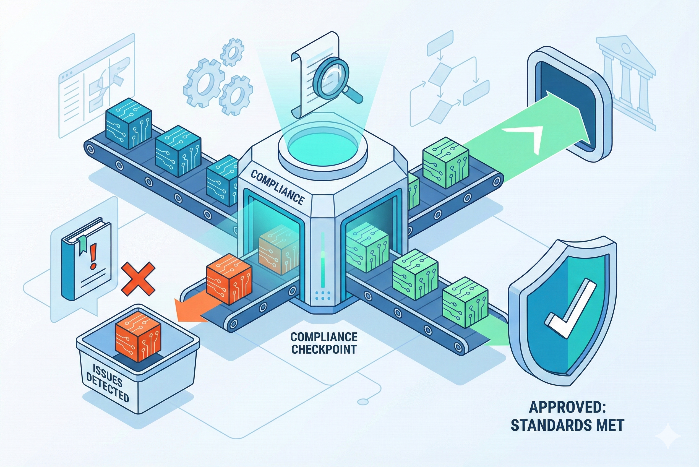
Isometric vector illustration depicting Automation in Compliance Testing, showing digital data packets flowing through a verification checkpoint with approved shields and rejected alert paths

Automation in Compliance Testing: Why is it Business Imperative

In today’s data-driven world, regulations are constantly evolving to keep pace with technological advancements and protect consumer privacy. For businesses across all industries, from finance and retail to healthcare and beyond, ensuring compliance with these regulations is no longer optional; it’s a necessity. This is where compliance testing comes in – a rigorous process of verifying that software, systems, and business practices adhere to established standards.

What is Compliance Testing?

Compliance testing involves a series of systematic checks to ensure your organization’s operations align with relevant laws and regulations. These tests can be specific to a particular industry, such as the General Data Protection Regulation (GDPR) for data privacy in Europe, or more general, like the Payment Card Industry Data Security Standard (PCI DSS) for secure credit card transactions. Continue reading Automation in Compliance Testing: Why is it Business Imperative

Spread the love
  •  
  •  
  •  
  •  
  •  
  •  
  •  
  •  
  •  

Contract Testing vs Integration Testing: Ensuring Compatibility in Microservices

The world of software development is rapidly shifting towards microservices architectures. These architectures break down applications into smaller, independent services that communicate with each other. While this approach offers numerous advantages, it also introduces new challenges, particularly in testing how these services interact seamlessly.

This blog post explores two prominent approaches for microservices testing: Integration Testing and Contract Testing. We’ll delve into their functionalities, strengths, and weaknesses to help you decide which method (or combination) best suits your needs. Continue reading Contract Testing vs Integration Testing: Ensuring Compatibility in Microservices

Spread the love
  •  
  •  
  •  
  •  
  •  
  •  
  •  
  •  
  •  
No Code Test Automation

No Code Test Automation- Everything You Need To Know

In today’s competitive business landscape, software quality is paramount. But for small and medium-scale businesses (SMBs), building a robust testing infrastructure can be a daunting task. Traditional test automation, while effective, often requires significant coding expertise and resources, putting it out of reach for many SMBs.

This is where no-code test automation emerges as a revolutionary solution. It empowers businesses to automate software testing without writing a single line of code. Continue reading No Code Test Automation- Everything You Need To Know

Spread the love
  •  
  •  
  •  
  •  
  •  
  •  
  •  
  •  
  •  

The Crucial Role of Usability Testing in mHealth Apps

Introduction

In an era where technology intersects with healthcare to revolutionize patient care and wellness management, mobile health (mHealth) apps stand at the forefront as powerful tools. These apps offer a wide array of functionalities, from tracking fitness goals to managing chronic conditions and accessing medical information on-the-go. However, the success of these apps isn’t solely dependent on their features but also on how well they are designed to meet user expectations.

This is where usability testing becomes indispensable. Usability testing is a structured process of evaluating a product (in this case, an mHealth app) by testing it with representative users to uncover usability issues, gather feedback, and iteratively improve the user experience. In the context of mHealth apps, the importance of usability testing cannot be overstated for several key reasons: Continue reading The Crucial Role of Usability Testing in mHealth Apps

Spread the love
  •  
  •  
  •  
  •  
  •  
  •  
  •  
  •  
  •  
Automated Application Security Testing

Automated Application Security Testing

In today’s digital landscape, applications are the backbone of most businesses. They handle sensitive data, connect us to essential services, and drive revenue generation. However, with this growing reliance comes a heightened vulnerability to cyberattacks.

According to a report by Verizon, data breaches involving web applications are the most common attack type. These breaches can have devastating consequences, leading to financial losses, reputational damage, and even legal repercussions.

This is where application security testing comes in. By proactively identifying and addressing vulnerabilities, businesses can significantly reduce the risk of a successful attack. However, traditional manual testing methods are often slow, resource-intensive, and struggle to keep pace with the ever-evolving threat landscape. Continue reading Automated Application Security Testing

Spread the love
  •  
  •  
  •  
  •  
  •  
  •  
  •  
  •  
  •  
Featured Image showcasing a graphical representation of Interoperability Testing

Interoperability Testing for Reliable and Secure IoT

The Internet of Things (IoT) is rapidly transforming our world, weaving a complex tapestry of interconnected devices that collect, share, and analyze data. From smart homes with self-adjusting thermostats to industrial plants with sensor-laden machinery, the potential benefits of IoT are vast. However, this intricate network hinges on one crucial element: interoperability.

Imagine a smart home where lights controlled by one app refuse to communicate with the thermostat controlled by another. Or an industrial setting where vital sensor data fails to reach the monitoring system due to incompatible protocols. These scenarios highlight the critical role of interoperability testing in ensuring a reliable and secure IoT ecosystem. Continue reading Interoperability Testing for Reliable and Secure IoT

Spread the love
  •  
  •  
  •  
  •  
  •  
  •  
  •  
  •  
  •  
An animated graphic illustrating strategy of microservices testing

Microservices Testing: Types, Strategies and Tools

Testing microservices involves validating each service independently to ensure it performs its specific function correctly. It also checks how well services interact within the larger system. This approach helps identify issues early and improves overall application reliability.

Microservices testing is crucial in modern software development due to the intricate nature of distributed systems. Each microservice in an architecture operates independently, yet they must work seamlessly together to deliver a cohesive application. Proper testing ensures that these services are reliable, scalable, and perform well under various conditions, preventing costly downtime and ensuring a smooth user experience. Continue reading Microservices Testing: Types, Strategies and Tools

Spread the love
  •  
  •  
  •  
  •  
  •  
  •  
  •  
  •  
  •  
Illustration of API security in eCommerce with laptop, shopping cart, lock shield, and network lines on a dark tech background.

API Security Testing: Tools and Best Practices for eCommerce Success

What is API Security Testing?

APIs (Application Programming Interfaces) are the backbone of modern digital ecosystems. They enable seamless interaction between applications, platforms, and services. However, their exposure makes them a prime attack vector. API security testing identifies vulnerabilities in APIs to ensure data confidentiality, integrity, and availability.

Recent data from Salt Security shows a 400% year-over-year increase in API attacks, underscoring the urgent need for proactive security testing strategies. Key testing approaches include:

  • Static Analysis – Scans source code or API contracts (like OpenAPI/Swagger) without execution to catch vulnerabilities early.
  • Dynamic Analysis – Tests running APIs to uncover real-time issues such as injection attacks or broken authentication.
  • Fuzz Testing – Sends random or malformed data to test how APIs respond to unexpected inputs.
  • Penetration Testing – Simulates malicious attacks to evaluate the API’s defense mechanisms.

Continue reading API Security Testing: Tools and Best Practices for eCommerce Success

Spread the love
  •  
  •  
  •  
  •  
  •  
  •  
  •  
  •  
  •  
Individuals performing Database performance Test to ensure scalability

Database Performance Testing: Strategies and Best Practices

Introduction

In today’s digital landscape, where user expectations are high and downtime is unacceptable, database performance is crucial. Databases form the backbone of applications, powering everything from eCommerce transactions to social media interactions. Ensuring that these databases are scalable and optimized is vital for maintaining fast, reliable services.

Scalable databases can handle growing user bases and traffic surges without performance degradation, while optimized databases ensure efficient query execution and minimal resource use. Database performance testing is essential to identify and fix potential issues, ensuring applications remain responsive and reliable. This blog explores strategies and best practices for database performance testing, helping you build high-performance applications that meet modern demands. Continue reading Database Performance Testing: Strategies and Best Practices

Spread the love
  •  
  •  
  •  
  •  
  •  
  •  
  •  
  •  
  •